Inside ReadySet
What ReadySet actually does — and what it looks like doing it
An alert tells someone something happened. ReadySet works out whether it reaches them, and tells them what to do about it. Here's the product behind that, screen by screen.
Command center
One glance, the whole picture
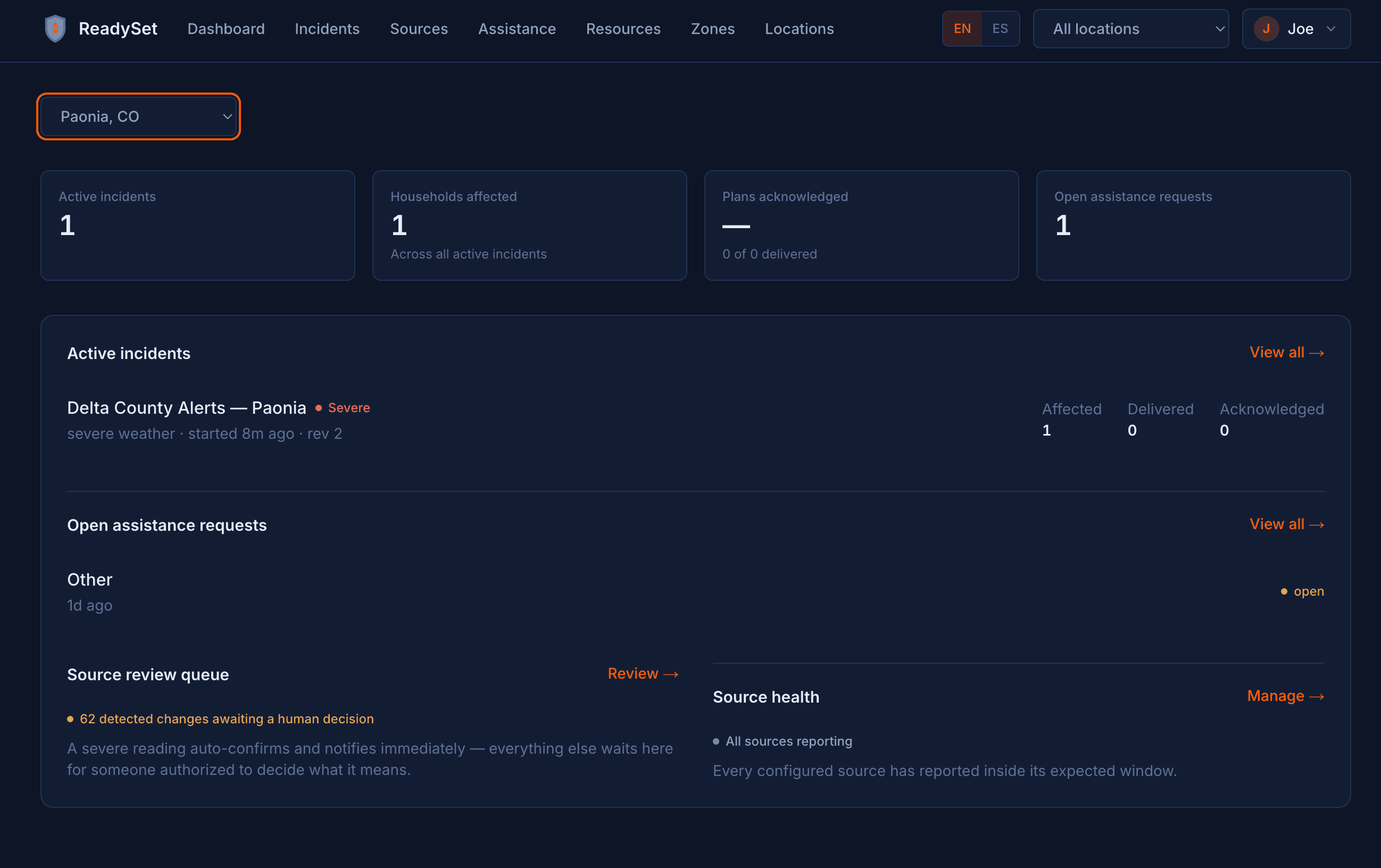
Every location gets a live dashboard: active incidents, households affected, plans acknowledged, and open assistance requests — the four numbers that actually matter during an emergency, not a wall of settings.
Trusted sources
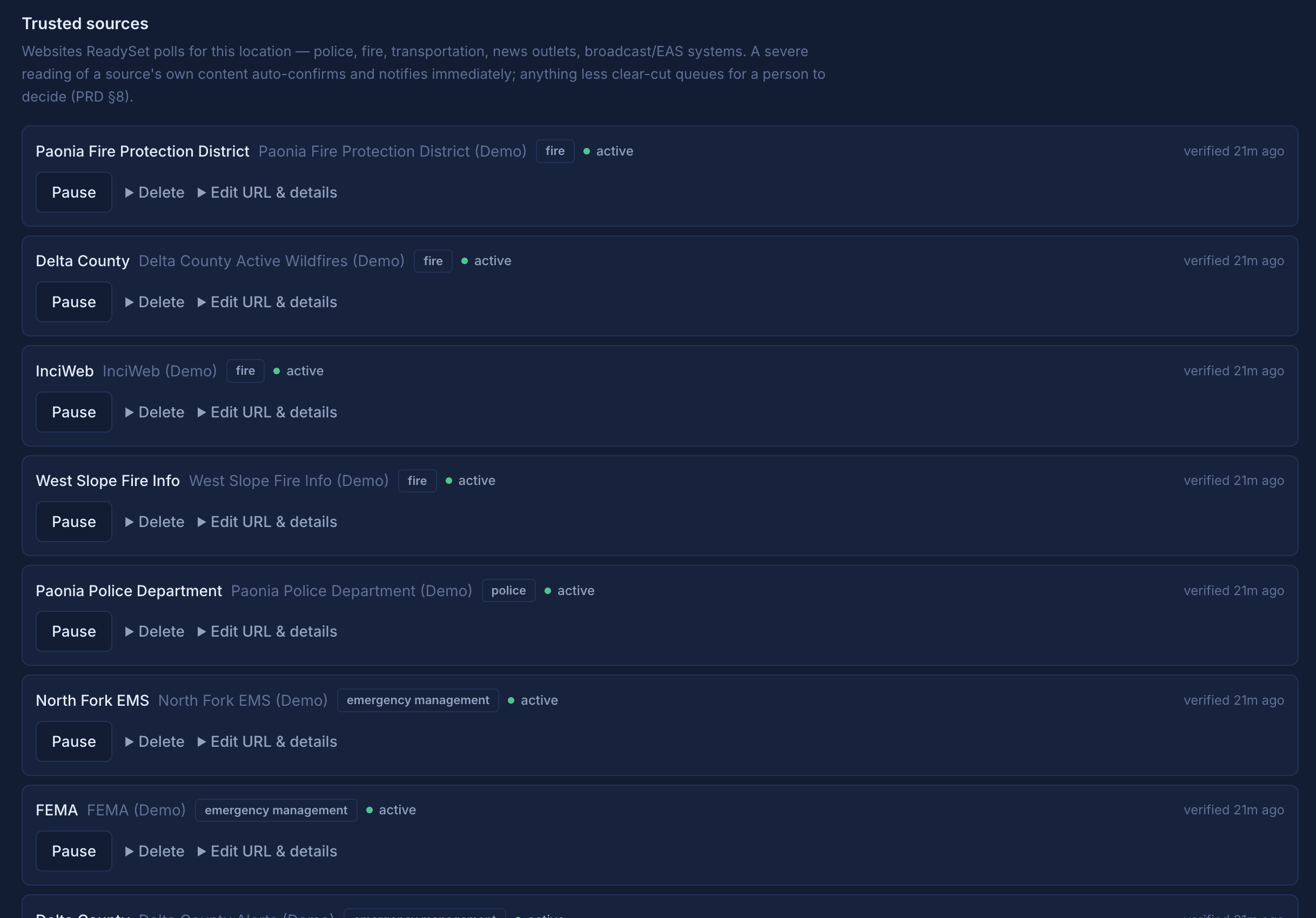
Every source, health-checked and under your control
Police, fire, transportation, news, broadcast and EAS systems — every source ReadySet polls for a location, shown with when it was last verified, and pause, delete, or edit controls for each. A severe reading from any of them auto-confirms an incident and notifies affected households immediately; anything less clear-cut queues for a person to decide.
Source review
AI reads every source. A person decides what is ambiguous.
Every trusted source gets read and classified automatically. Mild content is dismissed on its own. Severe, unambiguous content auto-confirms an incident and notifies residents with no one in the loop. Everything in between — the genuine judgment calls — waits here, with the full scraped content, an AI summary, and an editable type and severity, for a person to decide.

What else is built in
Plans built from real household data
Pets, mobility needs, medications, transportation, emergency contacts — captured once in a two-minute conversation, used in every plan after.
No app to download
Residents start on Telegram, a tool people already have. No account, no form, no install.
Any hazard, one system
Wildfire, flood, severe weather, earthquake, hazardous materials, public safety, utility outages, and more — the same pipeline handles all of it.
Deploy anywhere, in minutes
Any city, county, or fire district can stand up trusted, hyper-local coverage without months of setup.
Bilingual, end to end
English and Spanish, from registration through the plan itself, not just the landing page.
A deterministic safety layer
Whether to direct someone to call 911, whether an evacuation order exists, whether a route is real — decided by code, never guessed by the model.
A live public incident map
Every unresolved incident across ReadySet locations, visible on the homepage — see the map →
A real two-way assistant
Residents can ask "where's the nearest shelter" or "what are the road conditions" any time, not just receive a one-way broadcast.
See it for yourself
Start a conversation as a resident, or sign in if you already manage a location.